


Live
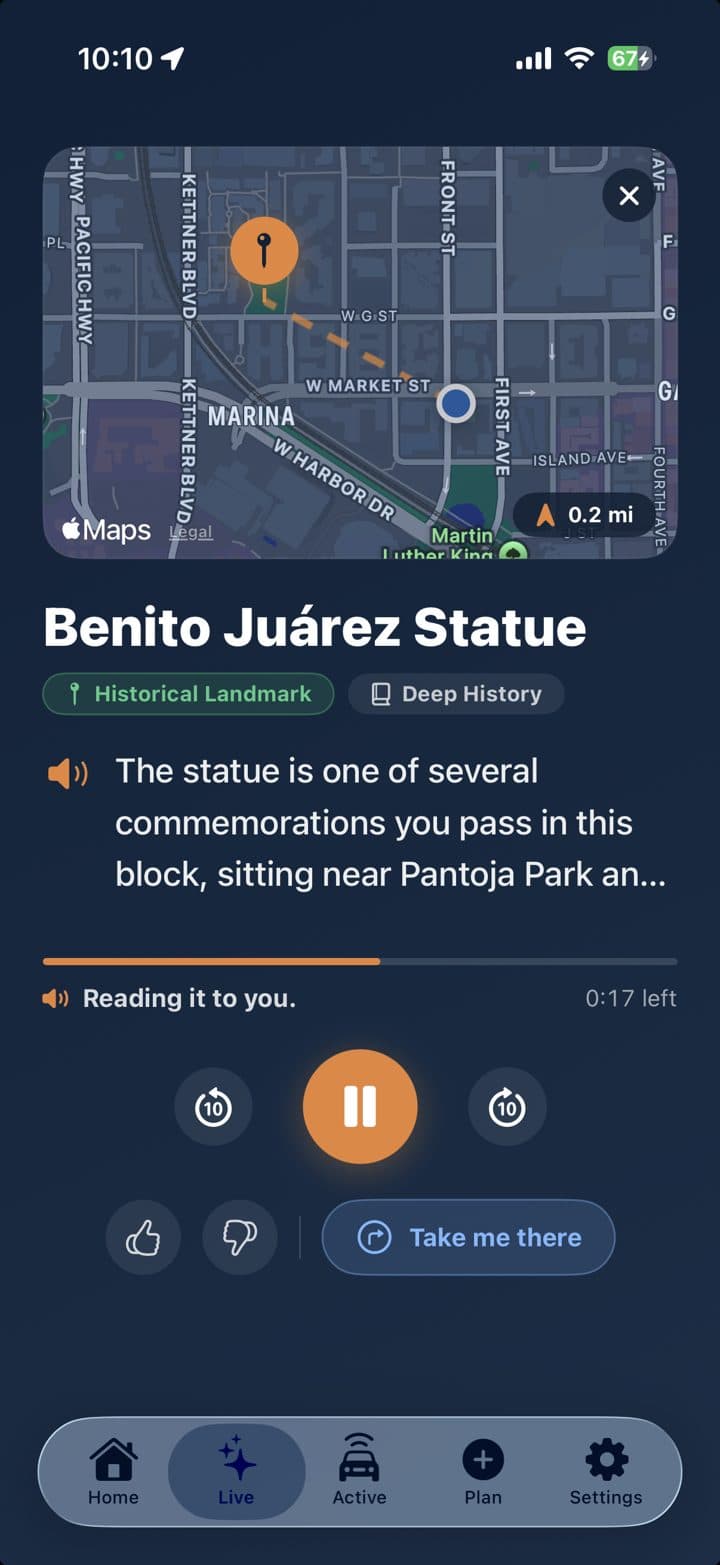
Turn it on, set your phone down, and drive. It reads out the places you pass, hands free, and pauses on its own when you park.
Passenger Seat is a friendly travel companion for the car. As you drive, it narrates the history, landmarks, and towns you would otherwise pass right by, completely hands free.
Free to download. Your first 50 discoveries are on us.
How a road trip around Ireland turned into Passenger Seat, and a quick look at how it works.
Install Passenger Seat and sign in with Apple. No accounts to manage, nothing to fill out.
Tap once, set your phone down, and start driving. From here on it is completely hands free.
As you pass towns, landmarks, and history, Passenger Seat tells you the story, and waits when you stop.
The longer version, including Live, What Was That?!, and what to do when the signal drops.
Turn it on, set your phone down, and drive. It reads out the places you pass, hands free, and pauses on its own when you park.
Just passed something and wondered? One tap and Passenger Seat tells you exactly what it was, the moment you ask.
Heading somewhere? Build a friendly narrated tour along your whole route before you leave, then press play on the way.
Curious right now? Ask for one good fact about whatever is close by, on demand.
Everything you hear is saved. Listen again any time: relive the drive, or catch the fact you half-heard.
Set your Story Style, from deep history to quick practical context, so stories sound the way you like.
“Coming up on your right is Donner Pass, named for a wagon party stranded here in the winter of 1846. Today it carries the railroad, the highway, and one of the prettiest views in the Sierra.”
A typical Passenger Seat moment
Campervan companies, boutique hotels, vacation rentals, drivers, and destination groups can give travelers a more memorable way to discover the places along the road. Start with a small pilot, a customer perk, or a completely different idea worth trying.
It is a location-aware audio guide for the car. Passenger Seat watches where you are as you drive and narrates the history, landmarks, and towns you pass, out loud and hands free. There is no route to plan and no buttons to press once it is running.
It depends on the drive. GuideAlong and Shaka Guide are bought tours for a specific park or scenic road. Autio is a pre-recorded library. Passenger Seat writes a story for the road you are on. See how they compare on the alternatives page.
GyPSy Guide is now GuideAlong. Same tours, new name. Passenger Seat is a different app: it narrates everyday roads and the miles between parks, not a bought tour for one famous loop.
Yes. Most audio tours are recorded for one fixed route, so they only play if you drive that way. Passenger Seat writes each story for wherever you are. A commute, a back road, a cross-country trip: same app.
Tap What Was That?! and Passenger Seat looks at where you are and what you just passed, then tells you what it was. It is built for the moment you drive by something interesting and have no idea what it is.
Passenger Seat turns the drive itself into the entertainment. Instead of screens in the back seat, everyone hears the same short stories about the places going by outside the window. You can pick a story style, including a weird and interesting mode that hunts for the surprising stuff.
Yes. Plan a Trip builds a narrated guide along a route you have coming up, so you can listen as you go. You can also download the audio in advance, which is what you want for national parks and long stretches with no signal.
Stories are written in the moment, so live discovery needs a connection. For places you know will have no signal, plan the trip ahead of time and download the audio first. Passenger Seat tells you when it cannot reach the internet and picks back up when you are online.
Yes. Passenger Seat works with CarPlay, and audio plays through your car speakers like any other app. It ducks your music while a story plays and hands the audio back afterward, and it pauses for navigation prompts and phone calls.
A podcast plays the same episode no matter where you are. Passenger Seat is triggered by your location, so what you hear is about the road you are on right now. Drive a different way and you get different stories, because they are written for that place.
Location is how Passenger Seat finds the interesting places around you. It is used while Live or a planned trip is running, including in the background if you allow it, and Live pauses on its own when you stop moving.
Yes. That is the whole point. Start Live before you set off and everything is read aloud, so you never need to look at or touch your phone while driving. It pauses by itself when it detects that you have parked.
Passenger Seat is available now for iPhone on the App Store and for Android on Google Play. It is free to download, with in-app purchases. The iPhone app needs iOS 17 or later and works with CarPlay. Your first 50 discoveries are free with no daily limit, then the free tier allows 10 per day.
No. Passenger Seat does not sell your personal information, use precise or account-linked location to target ads, or track you across apps. De-identified place and story examples may be used to support Passenger Seat’s own advertising and marketing. Full details are in our Privacy Policy.
Download Passenger Seat and take the first 50 discoveries on us, no subscription needed.